
PupPaw
DATE
Spring 2025
ROLE
UX/UI Designer
TOOLS
Figma | Figmake | FigJam
CATEGORY
Web Design | UX/UI Design
CONTEXT
Difficult finding quick and easy caretaker for Pets as well as for long period of time
Users feels difficulty finding the pet caretaker for more than a day. PupPaw bridges the gap between the pet caretaker to care your pet for more than a day.
THE PROBLEM
The gap of your pet being looked over by an caretaker with a lot of other dogs which makes your pet get less care with the amount and time invested.
A lack of individual caretaker for your pet depending on what type of caretaker you want.
CONTEXT
CONTEXT
SOLUTION
HomePage
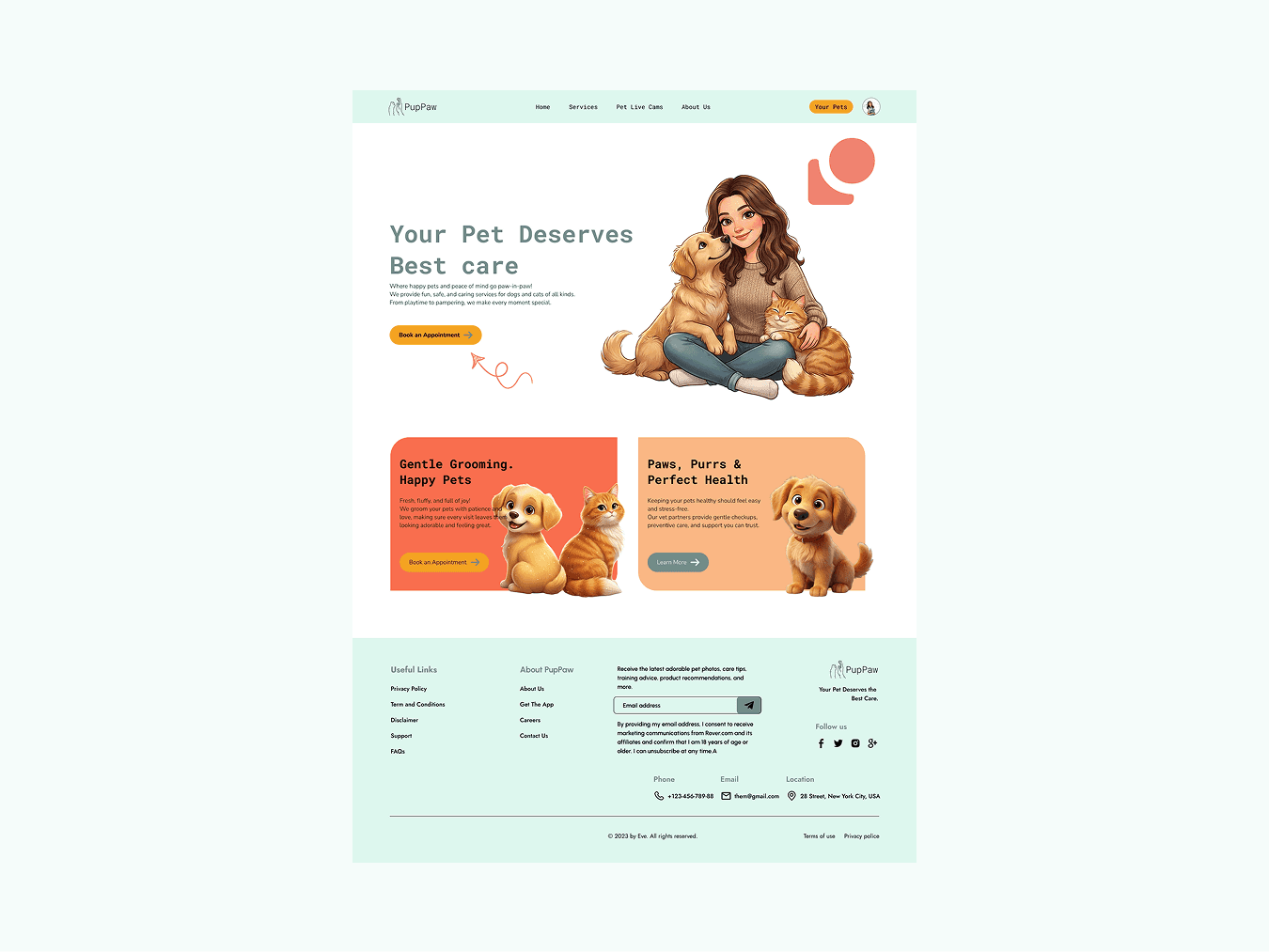
Proper Layout Homepage with CTA Button highlighted with brand color for the users not think finding what to do next.
Booking
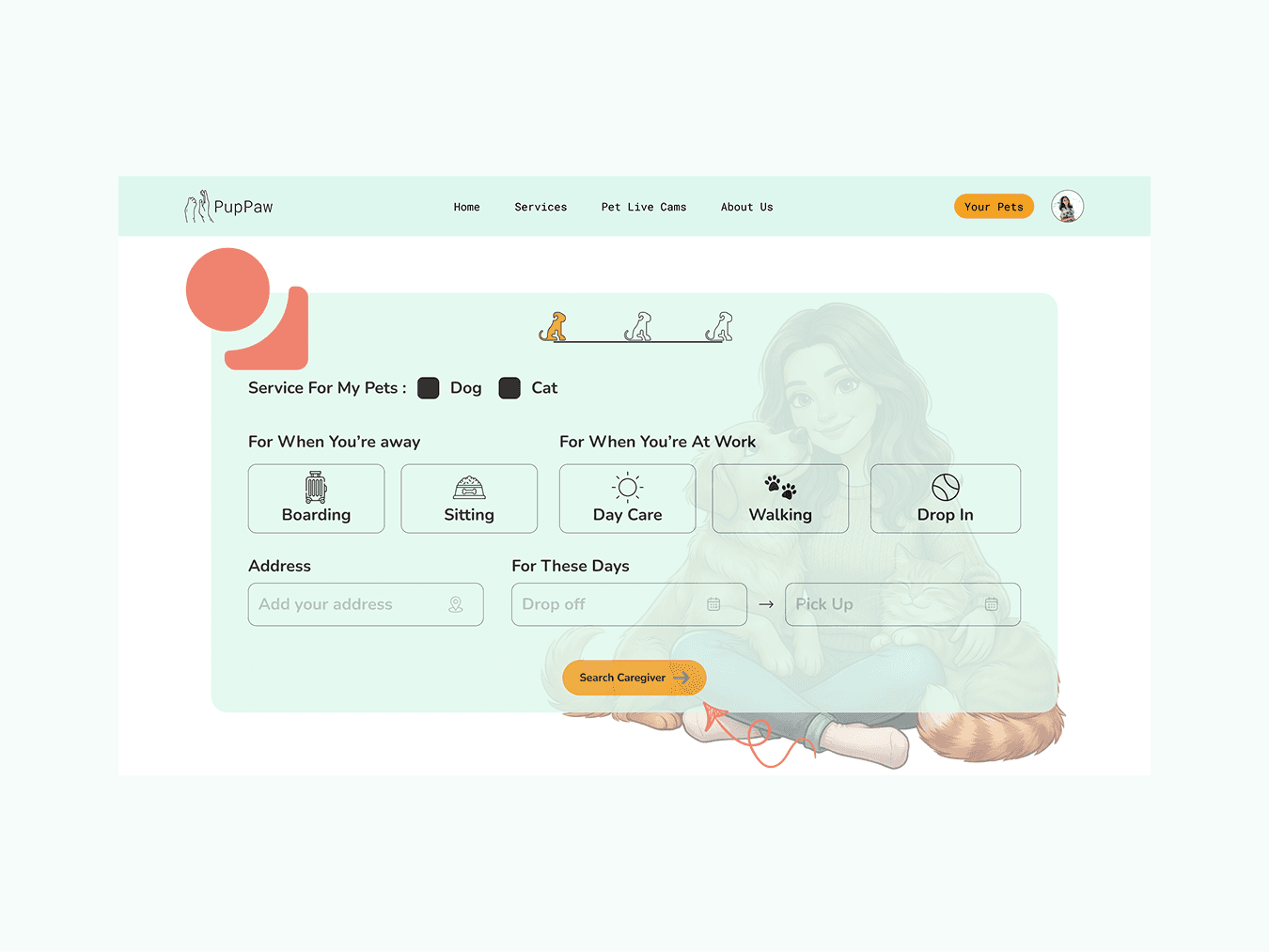
Dividing with categories. Doing an interview and finding the issue where users get confused with lot of options and thinking hard. Solved it with dividing into categories and what option to choose.
Selecting Caretaker and Confirmation
Providing caretaker details in the card with a options to filter through what you need. As well as having a detailed confirmation showing what next and replying back to users that they have completed the task.

DESIGN DECISIONS / Process
Wireframe and Annotations
Wireframe with Low Fidelity and knowing what the website should have and look like. Wireframe in all 3 devices with annotations keeping developers in mind.

CONTEXT
Mood-board, Logos and Design System
Built a mood board to know how my website should look like and feel like. With the logo designed in minimalist theme and mood board feel. And then develop a design system with accordance to the research and user centered as well as website theme.

Components
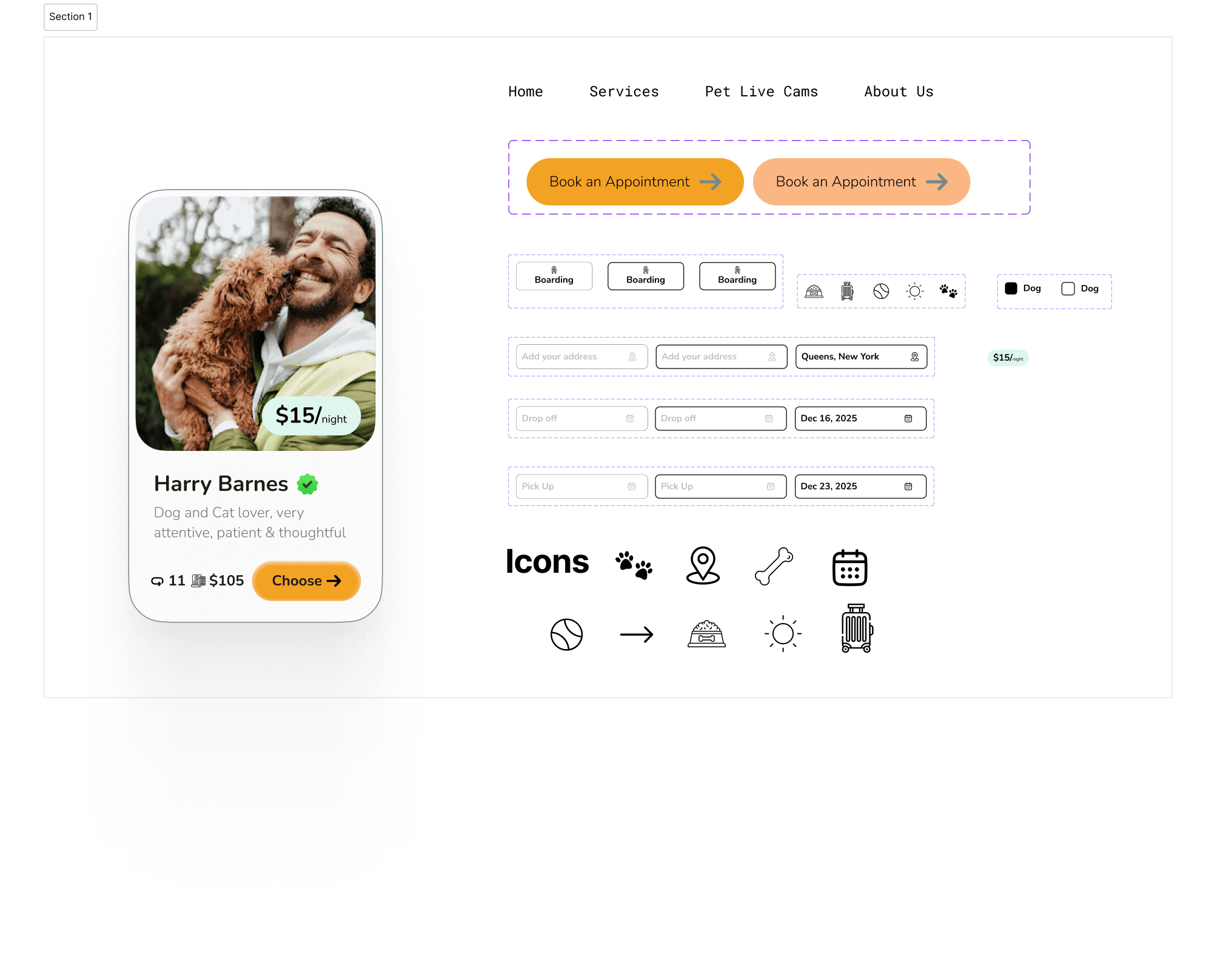
Created components to use to building a Hi-Fi website so that you can edit easily and reuse these components.
NEXT
What Next?
Service categorization and naming need improvement. Users expect pricing earlier in the journey. Navigation labels like “Live Cams” are ambiguous. Users want visual guides (Icons, & thumbnails). Too much color shades visually.
Don't make user think
While designing this website and reading don't make me think book alongside helped me a lot to learn how important it is to not make user think.
Don't design thinking you are a User
Biasness is one of the most important aspect of designing. When you feel you are the user, there is where the bias comes in and destroy the motive of solving the real users proble.